Tracked shipping to New Zealand with premium packaging for just NZ$15 

Ship to
New Zealand
0
  • argentina
  • chile
  • colombia
  • españa
  • méxico
  • perú
  • estados unidos
  • internacional

Select your country

Americas

Europe

Rest of the world

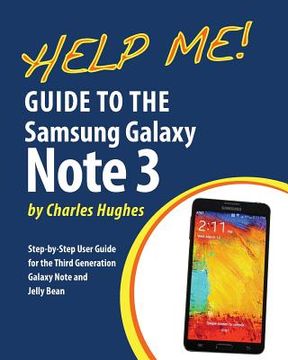
portada Help Me! Guide to the Galaxy Note 3: Step-by-Step User Guide for the Third Generation Galaxy Note and Jelly Bean
Type
Physical Book
Publisher
Language
English
Pages
334
Format
Paperback
Dimensions
25.4 x 20.3 x 1.8 cm
Weight
0.66 kg.
ISBN13
9781497565531

Help Me! Guide to the Galaxy Note 3: Step-by-Step User Guide for the Third Generation Galaxy Note and Jelly Bean

Charles Hughes (Author) · Createspace · Paperback

Help Me! Guide to the Galaxy Note 3: Step-by-Step User Guide for the Third Generation Galaxy Note and Jelly Bean - Hughes, Charles

New Book Imported to New Zealand
Delivery: 30 Jul - 11 Aug Shipping: 17 to 21 business days.
NZ$ 49.06
Import costs and 15% GST included in the price ✅
NZ$ 49.06

Synopsis "Help Me! Guide to the Galaxy Note 3: Step-by-Step User Guide for the Third Generation Galaxy Note and Jelly Bean"

Need help with Samsung's Third Generation Galaxy Note? With countless new features, such as S Pen multitasking, the new S Finder, voice control, and windowed calling that prevents you from being interrupted while using another application, you cannot afford to miss a single one. The Help Me Guide to the Note 3 gathers all of the available information regarding the Note 3 into a single guide, where it can be easily accessed for quick reference. There is no fancy jargon and every instruction is explained in great detail, which is perfect for beginners. In addition, this guide expands on the basics by discussing useful tips that are excellent for more advanced users. The level of detail in each chapter sets this guide apart from all of the rest. Countless screenshots complement the step-by-step instructions and help you to realize the Note 3's full potential. The useful information provided here is not discussed in the official Note 3 manual, such as tips and tricks, hidden features, and troubleshooting advice. This guide also goes above and beyond by discussing recent known issues and solutions that may be currently available. Help is here! Here are just a few of the topics covered in this Guide: - Organizing Home Screen Objects - Transferring Files to the Galaxy Note 3 Using a PC or Mac - Calling a Frequently Dialed Number - Switching to a Bluetooth Headset During a Voice Call - Multitasking Using the Pen Window - Taking Notes Using S Note - Assigning a Photo to a Contact - Adding a Contact to the Reject List - Saving Attachments from Text Messages - Sending a Text Message to an Entire Group - Clearing Personal Web Data - Creating an Animated Photo - Creating a Panoramic Photo - Sharing a Photo with the People Tagged in It - Ignoring New Messages in a New Email Conversation - Closing Applications Running in the Background - Maximizing Battery Life - Using MP3's as Ringtones - Blocking Calls, Notifications, Alarms, and the LED Indicator - Making the Phone Open Applications and Menus Faster - Turning the S Pen Pop-Up Window Off

Customers reviews

Frequently Asked Questions about the Book

All books in our catalog are Original.
The book is written in English.
The binding of this edition is Paperback.

Questions and Answers about the Book

Do you have a question about the book? Login to be able to add your own question.

Opinions about Bookdelivery

More customer reviews